
How to Set Up a Home Office in a Small Spare Room
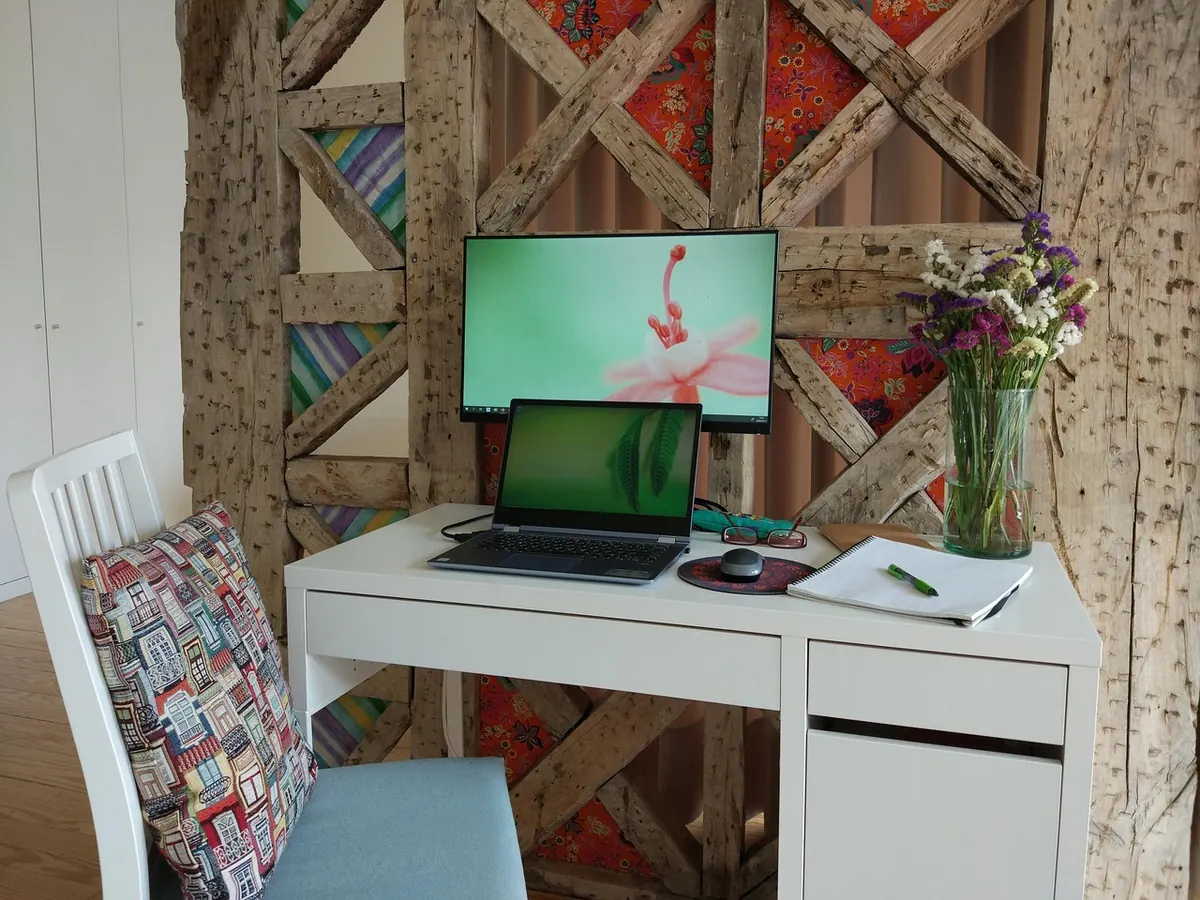
A spare room of two and a half metres by three feels generous until a desk, a chair and a box of printer paper are standing in it. Most people buy the furniture first and then discover the door no longer opens properly. Work the other way round: decide what the room has to do, measure what you have, and let the layout follow from there.
Measure Before You Buy
Start with a tape measure, a pencil and ten minutes. Write down the wall lengths, including the awkward bits, and note the things that will get in the way:
- which way the door opens and how far it swings
- radiator positions and how far they stick out
- window sill height and how far the window opens
- socket, phone and aerial points
- any sloped ceiling or bulkhead
Then choose the desk wall. Sitting side-on to a window usually works better than facing it, because daylight falls across the desk instead of straight into your eyes. Facing a wall in a corner is fine in a small room; facing a blank wall with your back to an open door tends to feel exposed, and that matters more than people expect when you spend all day there. Whatever you choose, leave at least 75cm between the desk edge and the wall behind it so the chair can push back.
Pick a Desk That Leaves Room to Move
A 60cm depth is the practical minimum; 70cm is better if you use a separate monitor. Width matters less than depth, but 120cm gives you space for a laptop, a notebook and a mug without a daily reshuffle. In a narrow room, a wall-mounted desk on sturdy brackets frees the floor underneath and makes the whole space easier to clean. A corner desk can make use of a dead corner, but check it does not block the door swing or box in the radiator.
Look at the legs before you buy. Central pedestals and wide drawer units steal the space your knees need. If the desk doubles as storage, keep the drawers shallow and on one side only.
Sort the Chair and the Working Height
The chair matters more than the desk. You want an adjustable seat height, a back you can lean into, and feet flat on the floor; if your feet dangle, a footrest is a cheap fix. Set the seat so your elbows sit at roughly 90 degrees with your forearms level with the desk surface. Put the top of the screen at or just below eye level and about an arm's length away, and use a separate keyboard if you work on a laptop for long stretches.
In a tight room, a chair with a smaller back that tucks fully under the desk keeps the floor clear. If you already have back or neck trouble, ask a physiotherapist or your GP about your setup rather than guessing.
Use the Walls for Shelving and Storage
Floor space is the scarce resource, so build upwards. A 30cm-deep shelf running above the desk holds the things you reach for daily without eating into the work surface. Space shelves 35 to 40cm apart so folders and lever-arch files stand up properly.
- A low shelf at desk height becomes a second surface for a printer or a lamp.
- A wall rail or pegboard takes headphones, tools, tape and leads out of the way.
- Higher shelves suit archive boxes, paper and anything you touch monthly.
- A clip-on basket under the shelf catches the clutter that would otherwise land on the desk.
Keep heavy items low, fix shelves into studs or use wall plugs rated for the load, and leave some wall visible. A room lined floor to ceiling with shelves stops feeling like a room at all. If you are unsure what the wall is made of, get someone who knows to check before you drill.
Light It in Layers
One overhead ceiling light is the usual mistake: you end up casting a shadow over your own hands. Aim for three layers instead. A ceiling light for the room, a desk lamp for the work, and a small lamp on a shelf for the evening so you are not sitting under a stark white glare at nine o'clock.
Put the task lamp on the opposite side to your writing hand if you use paper, and choose a wide, diffused light rather than a narrow spotlight. If you take video calls, a lamp in front of you beats one behind you. A blind or a sheer curtain is worth having, because it softens the glare that makes a screen hard to read on bright afternoons.
Tame the Cables
Cables multiply when nobody is watching. Deal with them in one go rather than adding a lead every few weeks.
- Unplug everything and lay it out on the floor.
- Group it: what stays on the desk, what runs to the wall socket.
- Fit a cable tray or basket under the desk for the power strip and adaptors.
- Run the rest in self-adhesive trunking along the skirting, or clip it to a desk leg.
- Label the adaptors with a marker so you know which is which.
- Leave a service loop of slack so you can pull the desk out without unplugging everything.
Keep extension leads off the floor where they will be walked on, never plug one extension lead into another, and do not run cables under a rug or across a doorway. If the room needs more sockets than it has, that is a job for a qualified electrician.
Making It Work Day to Day
Live with the layout for a week before you buy anything else. Most people find they want one more shelf and one fewer thing on the desk. Clear the work surface at the end of each day, keep a single drawer for small clutter, and put a hook on the back of the door for your bag. If the room doubles as a guest room, a folding desk or a sofa bed that leaves the floor clear will do more for the space than any clever storage. Small rooms work when everything in them has a reason to be there.
Photo: judyback / Pixabay